facebookbuys Base Layer QC: Spreadsheet vs Sheets
facebookbuys Base Layer QC: Spreadsheet vs Sheets
Before ordering thermal underwear, size and color are not the only things you need to confirm. Whether the neckline is flat, the cuffs are obviously loose, the stitching is continuous, and the care label information is clear all affect wearing comfort and subsequent after-sales communication. The value of QC photos is not to prove that the product is "absolutely flawless," but to help you identify specific risks that need follow-up photos, confirmation, or abandoning the purchase.
This article is compiled by the editorial desk, using the perspective of photo review and record management. It does not represent the author's personal purchase, receipt, or wear testing. Prices, inventory, product details, shipping, after-sales policies, and page links may change. Before submitting an order, please refer to the information displayed on facebookbuys.com on the same day. 🧵
First, define the review goals for thermal underwear QC photos
This review focuses on one pre-order task: using QC photos to confirm whether the key workmanship and label information of thermal underwear are sufficiently clear, and recording issues that cannot be determined.
After reading, you should be able to do three things:
Determine whether the current photos are sufficient to inspect the neckline, cuffs, stitching, and care label.
Record suspected issues by location, rather than just writing "poor quality."
When photos are insufficient, propose specific re-photography requests before deciding whether to proceed with the order or arrange shipping.
This review does not apply to determining thermal performance, actual weight, breathability, shrinkage after washing, or long-term durability. Static photos can show appearance and some workmanship, but cannot replace wearing, washing, or laboratory testing.
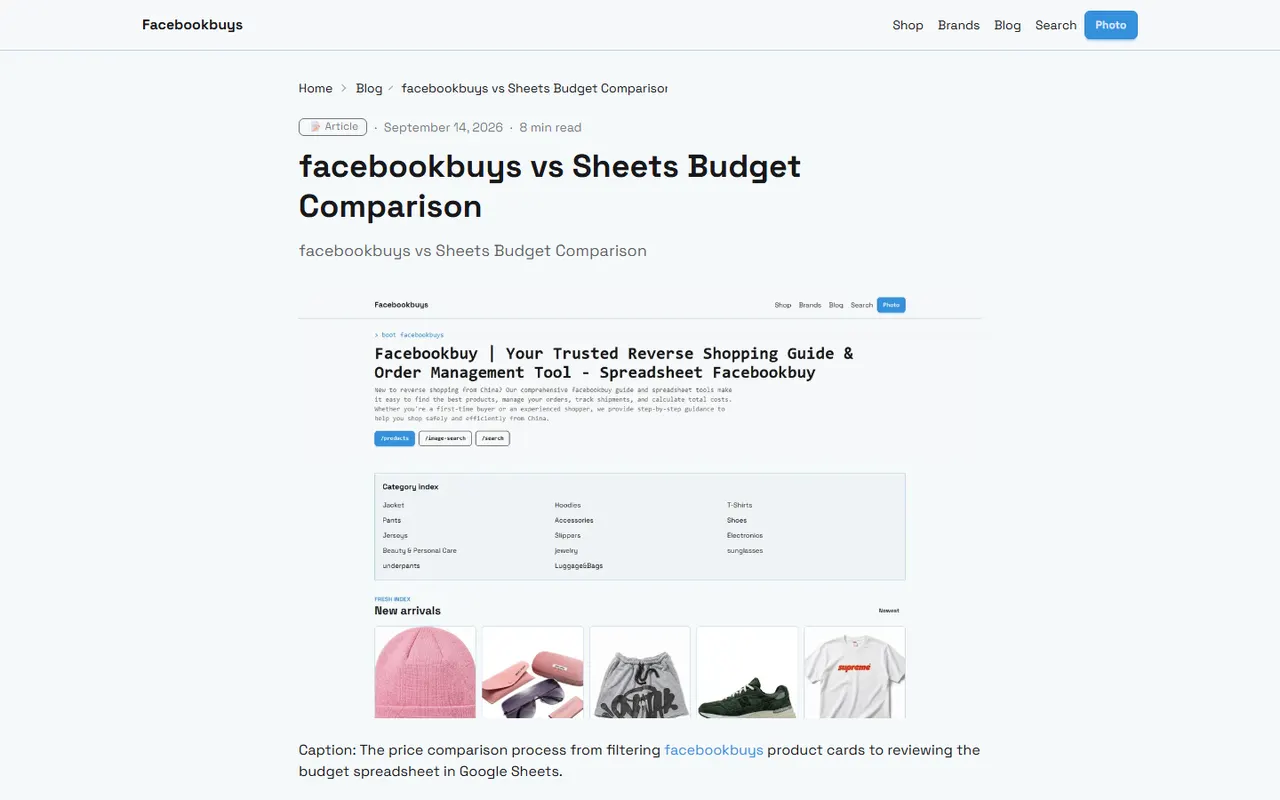
Image: Thermal underwear QC photo review and recording illustration
First establish the boundary between "provable" and "unprovable"
A clear close-up photo can usually help you observe:
Whether the stitching is continuous, with obvious skipped stitches, broken threads, or large-scale puckering.
Whether there is obvious deformation at the neckline, cuffs, and seams.
Whether the size, composition, care symbols, or origin information on the care label is readable.
Whether the product's color, style, and main structure are roughly consistent in the photos.
But the following cannot be confirmed solely from one or a few QC photos:
Whether the fabric feels soft, thick, or itchy.
Whether the thermal performance matches the advertised description.
Elastic recovery and condition after multiple washes.
Defects inside the product that are not visible in the photos.
Whether the label content is true, or whether the brand information has authorization basis.
Therefore, review conclusions should use phrases like "photos show," "currently unable to confirm," "recommend re-photography," and avoid writing unverified guarantees. 🔍
How to View Product Images and QC Entry in facebookbuys Spreadsheet
If you use Spreadsheet to manage pending purchases, the first step is not to zoom in on the image, but to confirm which product each row corresponds to. Thermal underwear often has similar colors, sizes, and set combinations, and it is especially easy to mistake rows when product names are similar.
It is recommended to check in the following order:
Verify the product name, color, size, or set information.
Confirm that the image entry indeed belongs to the current product, not the previous row or another product.
Review the overall image, detail images, and label images in order.
Write each suspected issue in the same row's notes or problems column.
Mark statuses such as "confirmed," "pending re-photography," or "not judged for now."
Spreadsheet's advantage is that it is suitable for proceeding row by row per product. You can treat each thermal underwear item as an independent review unit, avoiding mistakenly applying one product's image conclusions to another product.
Fields worth keeping for records
It is recommended to keep at least these fields:
Product identifier: product name, color, size, number of sets.
Image status: whether overall image, neckline image, cuff image, stitching image, care label image exist.
Observation results: record only phenomena actually visible in the photos.
Items to confirm: issues that need re-photography or confirmation from the seller.
Decision status: continue review, accept current information, hold, or abandon.
Review date: record the date you viewed the photos, because images and page information may be updated.
Do not just write "OK" or "has issues." "Left cuff edge has slight wrinkling, need to confirm if caused by folding" is more valuable for review than "cuff is bad."
How to Set Up Image Links and Issue Tracking in Google Sheets
Google Sheets is more suitable for multi-person collaboration, continuous supplementation of images, and centralized issue management. When using it, you can separate product information, image entries, and review conclusions to reduce omissions caused by overly long cell content.
A simple column structure is as follows:
Product information | Image review fields | Record content |
|---|---|---|
Product name, color, size | Overall image, neckline, cuffs, stitching, care label | Visible phenomena, pending re-photography items, final status |
Image links can be placed in separate dedicated columns, with clear column names to distinguish image purposes. For example, do not put all images in a single "QC photos" column, but set separate "neckline image," "cuff image," "care label image" columns. This makes it easier to spot specific gaps when filtering for missing images.
Use status values to reduce duplicate communication
You can uniformly use the following statuses:
Pending review: image review not yet completed.
Insufficient images: key parts missing or insufficient resolution.
Pending confirmation: suspected issues found, need re-photography or inquiry.
No obvious abnormalities in images: only means current photos show no obvious issues.
Hold decision: information still insufficient, do not proceed to next step.
"No obvious abnormalities in images" does not equal "product quality is qualified." This wording preserves the evidence boundary and facilitates reviewing the information you had at the time in case of later disputes.
If you need to display thumbnails in the sheet, confirm the image source and usage permissions, and avoid directly sharing screenshots containing names, phone numbers, addresses, order numbers, or complete waybills with irrelevant personnel. 🛡️
Check Neckline, Cuffs, Stitching, and Care Label Details
Neckline: Check if the structure is flat
First look at the overall shape of the neckline, then look at the connection between the neckline and the body. Focus on:
Whether left and right sides are obviously asymmetrical.
Whether the binding or ribbing has large-scale curling.
Whether the seam shows obvious pulling, waviness, or bunching.
Whether there are excess threads or loose stitching at the neckline edge.
If the garment in the photo is folded, hanging, or stretched, be cautious about judging slight wrinkles. You can request a natural flat lay photo and a close-up of the neckline seam.
Cuffs: Check the hem and stitching
Cuffs directly affect the fit when wearing. When checking, look at the outer edge and inner seam separately:
Whether the width of the hem is roughly even.
Whether the cuff is obviously loose, skewed, or locally twisted.
Whether the stitching is continuous at corners.
Whether there are excess threads, loose threads, or obvious stains.
Photos cannot accurately prove cuff elasticity. Even if the appearance is flat, you cannot promise tightness or recovery based on that.
Stitching: Check continuity and high-risk stress points
Don't just look at the front of the garment. The underarms, shoulders, side seams, crotch, and leg openings of thermal underwear are more worth checking because these areas may bear more tension.
You can follow the order "from top to bottom, from outside to inside":
Shoulder and neckline connections.
Underarms and side seams.
Cuff-to-sleeve connections.
Waistband, crotch, and leg openings.
Whether there is obvious color difference, stains, or damage on front and back.
When the photo angle does not show the inner seam allowance, record it as "inner structure not shown," and do not infer that the inside is problem-free.
Care label: First read clearly, then compare with description
Try to capture the complete edge and text of the care label. Observable content includes:
Whether the size matches the order selection.
Whether the fabric composition can be fully read.
Whether care symbols and text are clear.
Whether the label is folded, obscured, or has severe glare.
If the page description and care label content are inconsistent, keep both pieces of information and request confirmation. Do not choose the more favorable side on your own, and do not fill in unclear characters as certain content.
Differences Between the Two Methods in Image Distance and Notes Management
Spreadsheet is more suitable for row-by-row review of a small number of products, while Google Sheets is more suitable for multi-person maintenance or continuous updates. Neither can improve the clarity of original photos, nor replace actual viewing of product pages and QC photos.
Use case | Spreadsheet | Google Sheets |
|---|---|---|
Single-person item-by-item review | Convenient for row processing and offline organization | Suitable for quick recording and syncing |
Multi-person collaboration | Requires extra file version transfer | Convenient for sharing, commenting, and status updates |
Image management | Suitable for saving local file names or entries | Suitable for centrally saving accessible image URLs |
Issue tracking | Requires standardized fields | Can use filtering and comments for centralized handling |
Risk control | Beware of version confusion and duplicate files | Beware of sharing permissions and personal information exposure |
Regardless of which method you use, it is recommended to separate "observed facts" from "next steps." For example:
Observed fact: The care label text cannot be fully identified.
Next step: Request a close-up of the care label laid flat.
Do not write "the seller probably sent the wrong item" directly in the results column, because that exceeds what the photos can prove.
What Photos Can and Cannot Prove
The core role of QC photos is to narrow the information gap, not to complete all quality judgments for you. For thermal underwear, evidence can be divided into three layers:
The first layer is directly visible information, such as color, overall style, obvious stains, obvious holes, and some stitching.
The second layer is information that requires clear angles to judge, such as inner seams, cuff hems, label text, and local symmetry.
The third layer is information that photos cannot sufficiently prove, such as touch, thermal insulation, actual elasticity, odor, post-wash changes, and long-term durability.
You can use the following template when recording:
"In the photos viewed on the review date, the outer seam of the neckline shows no obvious broken stitches; the inner seam was not photographed, so it cannot be confirmed. Recommend re-photographing the inner close-up before deciding."
This wording preserves both known facts and unknown parts, making it easier to communicate with sellers, warehouses, or after-sales later. 📋
How to Request Re-photography When Information Is Missing
Re-photography requests should be specific to the part, angle, and purpose of judgment. Do not just send "please provide QC photos," because the other party may still provide an unusable distant shot.
You can make requests in the following format:
Please take an overall front flat lay photo of the thermal underwear, ensuring the neckline, cuffs, and leg openings are fully visible.
Please take close-ups of the neckline seam from front and back, avoiding folding and strong glare.
Please take close-ups of the left and right cuffs, showing the hem and inner stitching separately.
Please take details of the shoulder, underarm, side seam, and crotch seams.
Please photograph the complete care label, ensuring size, composition, and care information are readable.
If stains, damage, obvious color difference, or loose threads are found, please photograph both the overall location and a local close-up.
If the photos still cannot confirm, do not rush to judge as qualified. First keep the status as "insufficient images" or "pending confirmation," then handle according to the available after-sales paths provided by the platform.
In addition, before sharing screenshots, cover order numbers, names, phone numbers, addresses, payment information, and other irrelevant personal data. Covering privacy should not obscure the product parts or logistics status that need to be judged.
Use a Checklist to Complete the Pre-Order Review of Thermal Underwear
Before placing the order or proceeding to the next step, complete this brief checklist:
[] Product name, color, size, and set quantity match the target.
[] Overall image belongs to the current product, not an adjacent product or another size.
[] Neckline appearance and seams have been viewed, and unconfirmable parts recorded.
[] Both left and right cuffs have sufficiently clear photos.
[] Key seams such as shoulders, underarms, side seams, crotch, or leg openings have been checked.
[] Care label text, size, and composition information are readable, or marked as pending confirmation.
[] Observed facts and inferences are not mixed.
[] All pending re-photography items are specific to part and angle.
[] Personal information in photos has been covered as needed.
[] Review date recorded, and prepared to re-confirm after information updates.
The final decision can be one of three: photos show no obvious abnormalities and you can proceed to the next step; there are suspected issues, so re-photograph or confirm first; key parts are missing, so hold the decision. Do not interpret "no problems photographed" as "problems proven absent."
For thermal underwear, a truly useful QC review is not about finding a phrase like "great quality," but about turning each key part into an item that can be viewed, recorded, and followed up. This way, whether you choose facebookbuys Spreadsheet or Google Sheets, you can stop in time when information is insufficient, reducing misjudgments in sizing, workmanship, and after-sales communication.
Agent Platform Shopping FAQ
1. How can I confirm the quality of a product on facebookbuys.com?
When judging product quality, look at QC photos instead of relying only on factory-provided images, which are often retouched. You can use QC photos to verify whether product details meet your specific requirements before deciding to purchase. Also note that extremely low-priced products are often of poor quality, so it is recommended to avoid them.
Browse our latest products and find your next favorite item.