facebookbuys Down Jacket Link Check
facebookbuys Down Jacket Link Check
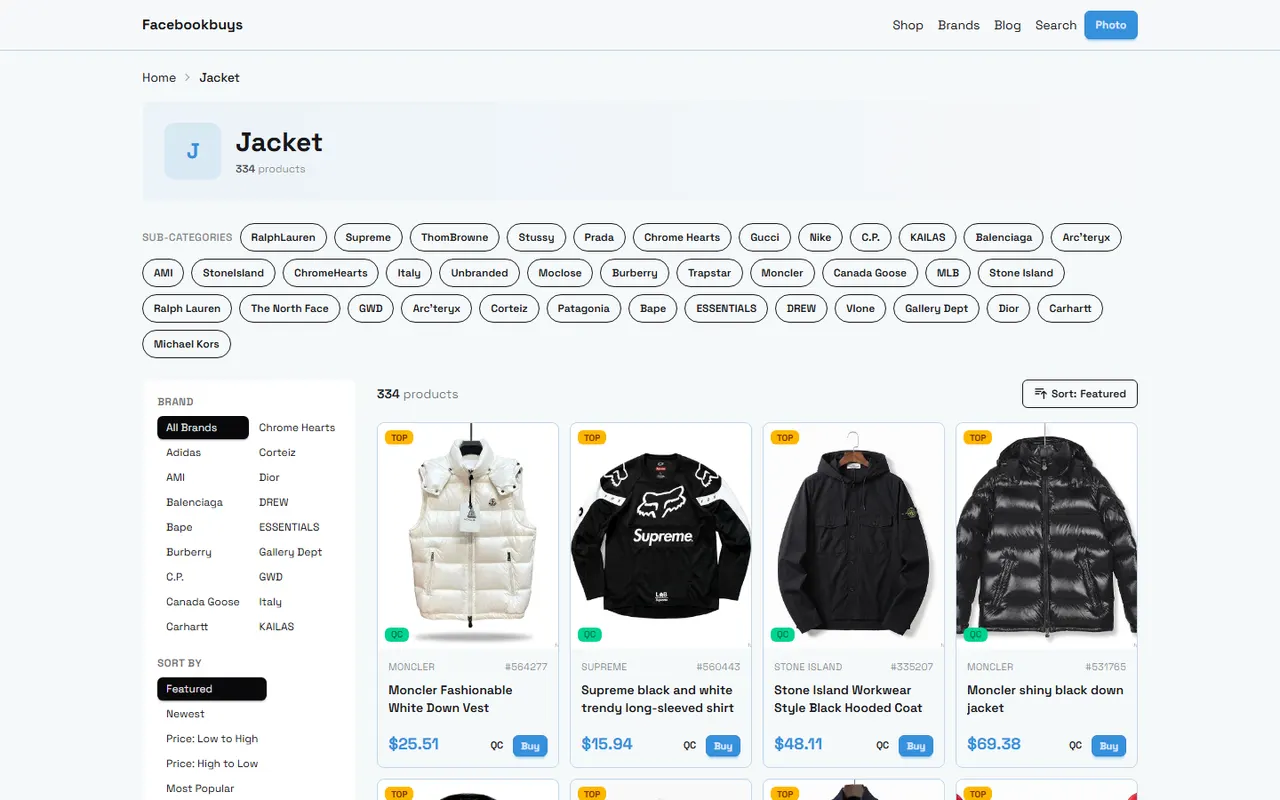
First determine the purchase task that down jacket link verification needs to solve
Before buying a down jacket, the real task is not to copy the product link into a spreadsheet, but to confirm that the identity, specifications, and source of the same candidate product remain consistent across different records. After verification, you should be able to answer four questions:
Can the links in the spreadsheet open the correct product pages?
Are the product name, color, and size consistent with the candidate record?
Does the page provide sufficient filling, fabric, and size information?
Should you postpone the order when information is missing, the link is abnormal, or the page has changed?
This guide is for buyers who need to organize multiple down jacket candidate links. It is not a substitute for physical inspection, and product images alone cannot prove warmth performance, fill amount, or workmanship quality. Page prices, inventory, specifications, and link status are time-sensitive; the verification date should be recorded by the buyer at the time of actual checking. 📋
How the facebookbuys website-based Spreadsheet displays product jump entries
When you see Spreadsheet or product organization entries on facebookbuys.com, treat them as navigation and recording tools first, not as proof of product quality. After clicking the product entry, confirm that the browser opens the corresponding product details page, not a blank page, tab page, invalid page, or a page inconsistent with the original record.
It is recommended to first create a candidate number, such as DJ-001, and write that number into both the Spreadsheet and Google Sheets. Do not rely only on product titles, because different colors, sizes, or seller versions may use similar names.
When checking jump entries, focus on:
Whether the page opens successfully after clicking.
Whether the page title roughly corresponds to the product name in the record.
Whether the main product image, color options, and size options are consistent with the record.
Whether the page shows seller, specifications, price, or other information sufficient to identify the product.
Whether the page redirects or requires login to see key content.
If the link does not open, do not replace the original link with a similar product from search results. Keep the original record and mark the status as pending review. 🔎
How Google Sheets records size, filling, and product source
Google Sheets is more suitable for item-by-item verification. Put each product on a row and each key fact in a column, avoiding mixing multiple sources and specifications in a single notes cell.
It is recommended to record at least the following fields:
Candidate number
Product name
Original product link
Page verification date
Color or style
Available sizes on page
Page size chart unit
Measurements such as chest, length, and sleeve length provided on the page
Original text of filling type
Original text of fill amount or fill weight
Original text of fabric information
Seller or source identifier
Page price and currency
Inventory status
Whether images and specifications are consistent
Current verification conclusion
Items to confirm
Do not automatically write "down jacket" as "duck down" or "goose down," and do not convert "warm" into a specific temperature range. When the page does not clearly state something, writing "not stated" is more reliable than filling in a seemingly reasonable answer.
Verification item | How to record in spreadsheet | Handling when information is insufficient |
|---|---|---|
Product identity | Record name, color, style, and original link | Mark as pending review, do not replace with similar product |
Size | Record page size chart and units as is | Do not self-calculate final size based on height and weight |
Filling information | Keep original text and numerical units from page | Write "not stated" when not stated |
Source | Record seller or page source identifier | Temporarily suspend comparison when source unclear |
Page status | Record accessible, redirect, or invalid | Invalid links do not enter final candidates |
Complete item-by-item checking by link, specifications, and images
You can check in four layers: "identity, specifications, visuals, time."
The first step is identity verification. Open the original link and confirm that the product name, main image, and style on the page match the record in the Spreadsheet. If the page has jumped to another product, or only shows a category list, the link cannot be considered a valid product page.
The second step is specification verification. Transcribe the size chart, filling type, fill amount, fabric, and price from the page item by item, keeping original units and text. Do not treat marketing words as verifiable parameters, and do not treat a single size measurement as a complete size recommendation.
The third step is image verification. Check whether the color, hood shape, pockets, zippers, and quilting structure shown in the page images match the text description. Images can only help confirm page identity and appearance features; they cannot prove hand feel, loft, cold resistance, or actual materials.
The fourth step is time verification. Record the page verification date and reopen the link before placing an order. Prices, inventory, available sizes, and detail fields may change. ⏱️
How to judge the quality of the product?
Before purchase, you cannot fully judge the actual quality based only on the Spreadsheet, Google Sheets, or product page. A more reliable way is to distinguish between "page evidence" and "physical evidence."
Page evidence includes clear size charts, specific filling types, verifiable fill amounts, fabric descriptions, detail images, and source information. The more specific the information, the easier it is to compare, but being specific does not prove that the quality is qualified.
Physical quality still needs to be checked during warehouse inspection or after receiving the goods, for example, whether the actual measurements are close to the page data, whether the filling is evenly distributed, whether there are obvious stains or damage, and whether zippers and stitching are normal. If the page does not provide key parameters, do not use image impressions or fancy words as substitutes for evidence.
Differences between website pages and spreadsheet links in review paths
Website pages are suitable for discovery and navigation, while Google Sheets is suitable for saving your own verification records. The page structures, update times, and displayed fields may differ, so do not assume that old records in the spreadsheet will automatically sync with the current website status.
It is recommended to keep the original link, not just shortened or rewritten addresses. If you need to add notes, you can record the "first discovery date" and "last verification date," and clearly note changes on the page, such as size reduction, price change, disappearance of filling fields, or link redirection.
When reviewing, it is best to reopen the page from the original link in the spreadsheet, and then compare item by item with the candidate number, product images, and specifications. This can reduce problems caused by copying wrong rows, color confusion, and multiple similar products being mixed up.
Evidence boundaries of filling information, size charts, and update times
Filling information should be based on what is clearly displayed on the product page. If the page only says "down," you cannot further assert that it is goose down, duck down, or a certain down content ratio; if the page only says "thick style," you cannot extrapolate fill amount or applicable temperature.
Size charts also need careful handling. Record displayed data such as chest, length, shoulder width, and sleeve length, and keep the units in centimeters or inches. Measurement methods may differ between pages, so values from two pages cannot be directly treated as data with exactly the same standard.
If the page does not have an update time, record your verification date instead; do not write the verification date as the release date of the product information. After the page is updated, recheck the original record to avoid continuing to use outdated prices, inventory, or specifications. 🧥
How to postpone the order when link anomalies or missing information are found
When the following situations occur, it is recommended to change the product status to "postpone order":
The original link is inaccessible or redirects to an unrelated page.
The page only has category content, without a clear product name and verifiable specifications.
Product images, color options, and text descriptions contradict each other.
The size chart lacks key measurements and the units cannot be confirmed.
Filling type, fill amount, or fabric information has only vague marketing descriptions.
Seller, price, inventory, or product identity cannot be confirmed.
Page information is clearly inconsistent with the spreadsheet record.
Postponing does not mean the product is necessarily problematic; it means the current evidence is insufficient to support the order. You can wait for the page to recover, supplement seller information, or ask through the platform's official customer service and seller channels. Do not guess missing fields just to complete the spreadsheet, and do not overwrite the original record with a similar link.
Use a verification checklist to complete final candidate confirmation
Before ordering, confirm each final candidate line by line:
The original link can open the correct product details page.
Product name, color, style, and images correspond to each other.
Size chart units are clear, and key measurements are recorded.
Filling type, fill amount, and fabric information are recorded as per the page original text.
Price, currency, inventory, and verification date are clearly visible.
Page source or seller identifier has been saved.
Image observations, marketing words, or model speculations are not written as quality conclusions.
All unconfirmed items are listed separately as items to confirm.
The standard for final candidates is not "the spreadsheet is filled the most," but "every key decision has traceable evidence." If any of the link, size, or filling information cannot be confirmed, keeping the pending review status is usually safer than placing an order hastily. ✅
Common shopping questions on agent platforms
1. On facebookbuys.com, what is the best way to determine if a product is of good quality?
Grade the quality by checking the quality-control images; do not base your decision only on factory pictures because they are often edited. Use those QC photos to see if the item matches your particular needs before you confirm the purchase. For facebookbuys.com shoppers, also remember to steer clear of products priced unusually low, since they usually come with poor quality.
Browse our latest products and find your next favorite item.